
Choosing hosting is one of the first decisions you make when launching a WordPress website. It also becomes important when your website grows, attracts more visitors, or starts generating leads and sales.
Two common options are shared hosting and managed WordPress hosting. Both can host a WordPress website, but they are designed for different levels of control, convenience, performance, and support.
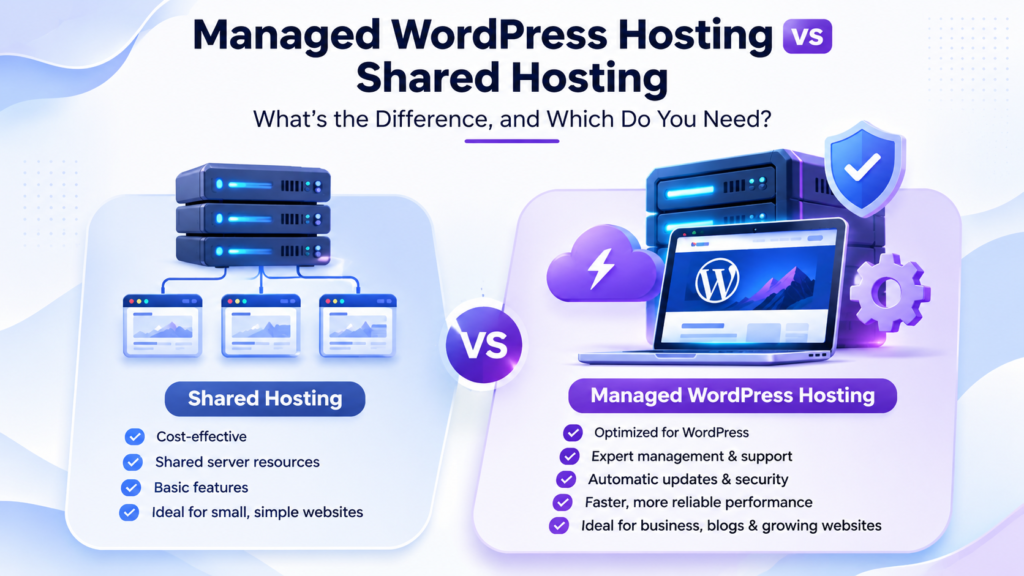
The key difference is simple:
- Shared hosting gives you affordable server space and expects you to manage most WordPress tasks yourself.
- Managed WordPress hosting adds WordPress-specific maintenance, security, performance, backups, and support.
However, these options are not always exact opposites. Shared hosting describes how server resources are allocated, while managed WordPress hosting describes how the WordPress environment is maintained. A managed WordPress service may still use shared, cloud, or other underlying infrastructure.
Quick comparison
| Area | Shared hosting | Managed WordPress hosting |
|---|---|---|
| Management | You handle most WordPress maintenance | The provider handles selected WordPress tasks |
| Performance | Resources are shared between multiple accounts | WordPress-focused optimization may be included |
| Security | Basic server security; site-level security is often your responsibility | WordPress security configuration and monitoring may be included |
| Backups | May be available, but retention and restoration vary | Scheduled backups and restoration assistance may be included |
| Support | General hosting and server support | More WordPress-specific assistance |
| Flexibility | Often supports multiple applications | Usually optimized specifically for WordPress |
| Cost | Lower | Higher, because more services are included |
| Best for | Personal sites, small blogs, and budget-conscious users | Businesses, agencies, stores, and site owners who want less maintenance |
What is shared hosting?
Shared hosting places multiple websites on the same physical or virtual server. The websites share some underlying resources, such as processing capacity, memory, storage, and network capacity.
The hosting provider normally manages the server hardware, operating system, network, and core infrastructure. You manage your own website.
That usually means handling tasks such as:
- Installing and updating WordPress
- Updating plugins and themes
- Configuring caching
- Reviewing security settings
- Troubleshooting plugin conflicts
- Managing website backups
- Restoring the site when something goes wrong
Shared hosting is popular because it is affordable and simple to start with. It can be a sensible choice for a new blog, a small brochure website, a portfolio, or a website with modest traffic.
Shared hosting is not automatically slow or insecure. The quality of the provider’s server configuration, account isolation, resource limits, backups, and support all matter. However, your website may be affected by the activity of other accounts on the same server if resources are poorly managed.
What is managed WordPress hosting?
Managed WordPress hosting is a service designed specifically for WordPress websites. Instead of giving you server space and leaving most maintenance to you, the provider takes responsibility for selected WordPress-related tasks.
Depending on the provider and plan, managed WordPress hosting may include:
- WordPress core, theme, and plugin updates
- WordPress-specific security configuration
- Malware scanning
- Performance optimization
- Server-level caching
- Scheduled backups
- Staging environments
- Migration assistance
- WordPress-focused technical support
There is no universal definition of “managed.” One provider may include automatic updates and backups, while another may include hands-on troubleshooting, staging, performance monitoring, or site changes.
Always check exactly what the plan includes before purchasing.
GCH’s Managed WordPress Hosting service is designed for WordPress-focused maintenance, performance, security, backups, and technical support. Features and included management vary by plan, so review the plan details before choosing an option.
Managed WordPress hosting vs shared hosting: The main differences
1. Management and maintenance
With shared hosting, the provider manages the server, but you generally manage WordPress itself.
You may be responsible for:
- Applying updates
- Testing plugin compatibility
- Checking for errors after updates
- Configuring security plugins
- Creating and testing backups
- Investigating performance problems
Managed WordPress hosting reduces that workload. The provider may handle updates, security checks, caching, backups, and other routine tasks.
This can be valuable if you run a business website and would rather spend time on customers, marketing, or content instead of server administration.
It does not mean that every task is handled for you. You may still need to manage website content, user accounts, paid plugin licenses, custom code, design changes, and business decisions.
2. Performance
Shared hosting performance depends on the resources allocated to your account and the behavior of other accounts on the server.
Problems can appear when:
- Your traffic increases
- Your website uses resource-heavy plugins
- You run an online store
- Other accounts consume excessive resources
- Your plan has strict CPU, memory, or process limits
Managed WordPress hosting often includes an environment configured for WordPress. This may include server-level caching, optimized PHP settings, database tuning, content delivery integration, or performance monitoring.
Managed hosting does not guarantee that every website will be fast. Poorly coded plugins, large images, unoptimized themes, and inefficient queries can slow down any WordPress website.
The advantage is that a managed provider may be able to identify whether the problem comes from WordPress, a plugin, the server, or the hosting configuration.
GCH’s guide on how good web hosting affects SEO and Google rankings provides additional context on the relationship between hosting quality, performance, and user experience.
3. Security
With shared hosting, the provider normally protects the server and network. You are still responsible for keeping your WordPress installation, themes, plugins, and administrator accounts secure.
Important responsibilities may include:
- Updating WordPress and plugins
- Removing unused plugins and themes
- Using strong passwords
- Limiting administrator access
- Monitoring suspicious activity
- Configuring application-level security
Managed WordPress hosting may include WordPress-specific security configuration, malware scans, firewalls, update management, and monitoring.
The exact protection varies widely. Ask whether security features include malware removal, vulnerability monitoring, account isolation, DDoS protection, firewall rules, and assistance after a compromise.
WordPress itself recommends keeping installations updated and treating maintenance as an ongoing process. Automatic updates can help, but they do not replace backups, testing, or a recovery plan.
4. Backups and restoration
A backup is only useful if it includes the data required to restore the website and can actually be recovered.
A complete WordPress backup normally needs both:
- The database, which contains posts, pages, settings, comments, and other structured data
- Website files, including WordPress core, themes, plugins, media, and configuration files
On shared hosting, backups may be available, but you should verify:
- How often backups run
- How long they are retained
- Whether backups are stored separately from the website
- Whether restoration costs extra
- Whether you can download your own copies
- Whether the provider tests restoration
Managed WordPress hosting commonly makes backups more visible and automated. Some plans include daily backups, remote copies, one-click restoration, or assistance with recovery.
GCH’s managed hosting plans list daily local and remote backups, although included features vary by plan. The official WordPress backup guidance also recommends keeping multiple recent copies in different locations.
5. Technical support
Shared hosting support normally focuses on the hosting account and server environment. Support may help with:
- Domain and DNS configuration
- Email setup
- Control panel issues
- Database access
- Server errors
- Hosting account configuration
Managed WordPress support is usually more focused on the application. Depending on the plan, support may help diagnose:
- Plugin conflicts
- WordPress update problems
- Theme-related errors
- Performance issues
- Malware concerns
- Database or configuration problems
Read the support terms carefully. “WordPress support” can mean anything from general compatibility guidance to hands-on troubleshooting by WordPress specialists.
Also check whether support includes website changes, plugin configuration, emergency restoration, migrations, staging, or only advice.
Which option should you choose?
Shared hosting may be right for you if:
- You are launching a small website or blog
- Your traffic is currently low or moderate
- Your budget is limited
- You are comfortable managing WordPress updates
- You want to install applications other than WordPress
- You do not need hands-on technical assistance
- You have your own backup and security process
Shared hosting can be a practical starting point. You can always upgrade later when your website’s needs change.
Managed WordPress hosting may be right for you if:
- Your website supports your business or income
- You do not want to manage technical maintenance
- You run an online store or lead-generation website
- You manage multiple WordPress websites
- You need regular backups and easier restoration
- You want WordPress-focused technical support
- Performance and uptime are commercially important
- You would rather pay for expert assistance than handle every issue yourself
For a business website, the additional cost may be justified if it reduces downtime, maintenance work, and the risk of avoidable mistakes.
Is managed WordPress hosting worth the extra cost?
Managed WordPress hosting is worth considering when the cost of downtime or technical problems is greater than the cost of the hosting plan.
For example, a personal blog may be able to tolerate a few hours of troubleshooting. A business website that receives enquiries or processes orders may lose revenue and customer trust during the same outage.
The value of managed hosting usually comes from a combination of:
- Less routine maintenance
- Faster access to knowledgeable support
- More consistent backups
- Better visibility into security issues
- WordPress-focused performance tools
- Reduced technical workload
The right decision depends on your website, budget, technical ability, and tolerance for risk.
Questions to ask before choosing a hosting plan
- Are WordPress core, plugin, and theme updates included?
- Are updates automatic, manual, or optional?
- Are backups stored remotely?
- How long are backups retained?
- Can I restore the website myself?
- Is backup restoration included in the plan?
- Are malware scanning and removal included?
- What performance features are included?
- Are there CPU, memory, storage, or traffic limits?
- Does support troubleshoot WordPress plugins and themes?
- Is staging included?
- Is migration assistance included?
- Can I upgrade without moving to another provider?
- Are WooCommerce and other resource-intensive plugins supported?
GCH’s guide to common hosting mistakes covers several of these questions, including backups, support, resource limits, and the importance of reading the fine print.
Final verdict
Shared hosting and managed WordPress hosting serve different needs.
Shared hosting is usually the better choice when affordability, flexibility, and basic hosting are your priorities. It works well for smaller websites and users who are comfortable managing WordPress themselves.
Managed WordPress hosting is usually the better choice when you want WordPress-specific maintenance, stronger operational support, automated backups, performance assistance, and less day-to-day technical work.
If your WordPress website is important to your business, explore GCH Managed WordPress Hosting and compare the included maintenance, security, backup, performance, and support features against your needs.