
Introduction: The Foundation of Your Online Success
When you’re launching a new website, whether it’s a personal blog, a professional portfolio, or an online store, your hosting provider is the silent engine that powers it all. It’s the digital foundation upon which your entire online presence is built. However, here’s a hard truth that many new website owners learn the hard way: hosting is often an afterthought. It’s common to see beginners gravitate towards the cheapest plan, overlook the technical specifications, or simply assume that “all hosting is the same.”
This is a dangerous assumption. The host you choose directly impacts your website’s loading speed, its ability to handle traffic spikes, its security against hackers, and even its ranking on Google. A poor hosting decision can lead to a site that crashes during a critical sale, loads so slowly that visitors leave in frustration, or gets blacklisted by search engines. It’s not just a bill to be paid; it’s the very ground your digital “house” is built on.
If you’re just starting your online journey, avoiding common hosting mistakes can save you money, headaches, and even your brand’s reputation. In this comprehensive guide, we’ll break down the 10 most common hosting mistakes beginners make and show you exactly how to avoid them like a pro. By the end, you’ll have the knowledge to make a confident, informed decision that will set your website up for long-term success.
Mistake 1: Choosing Hosting Based on Price Alone
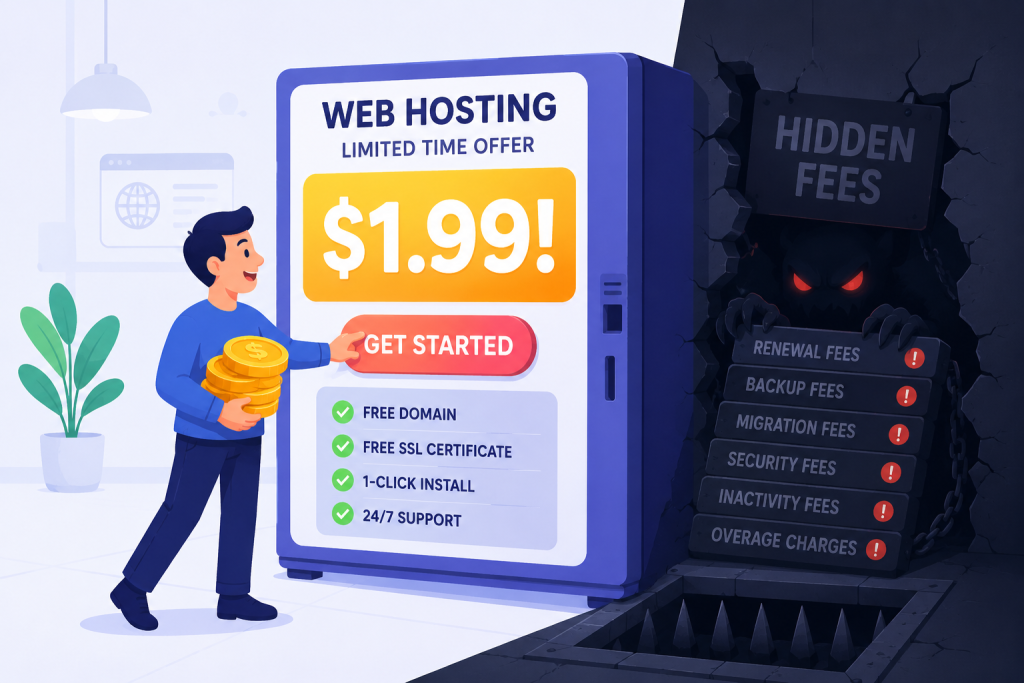
It’s the most natural instinct in the world. You have an idea for a website and a tight budget, so you look for the cheapest option. “Why spend $15 a month when I can get ‘unlimited everything’ for just $1.99?” sounds like a great deal, right?
The Hidden Trap:
Unfortunately, in the world of web hosting, you often get exactly what you pay for. That $1.99 plan is a classic loss-leader designed to get you in the door. To make that price work, the hosting company crams hundreds of websites onto a single, underpowered server. This leads to significant problems:
- Overcrowded Servers: Your site shares CPU power and RAM with hundreds of other websites. If one of your neighbors gets a traffic spike, your own site’s performance can plummet. This is known as the “noisy neighbor” effect.
- Poor Performance: A website that loads in 6 seconds instead of 2 seconds will lose visitors. Studies show that a one-second delay in page load time can reduce conversions by up to 7%. It also hurts your SEO, as Google prioritizes fast-loading sites.
- Weak Security: Budget hosts often cut corners on security features like firewalls and malware scanning, leaving your site more vulnerable to attacks.
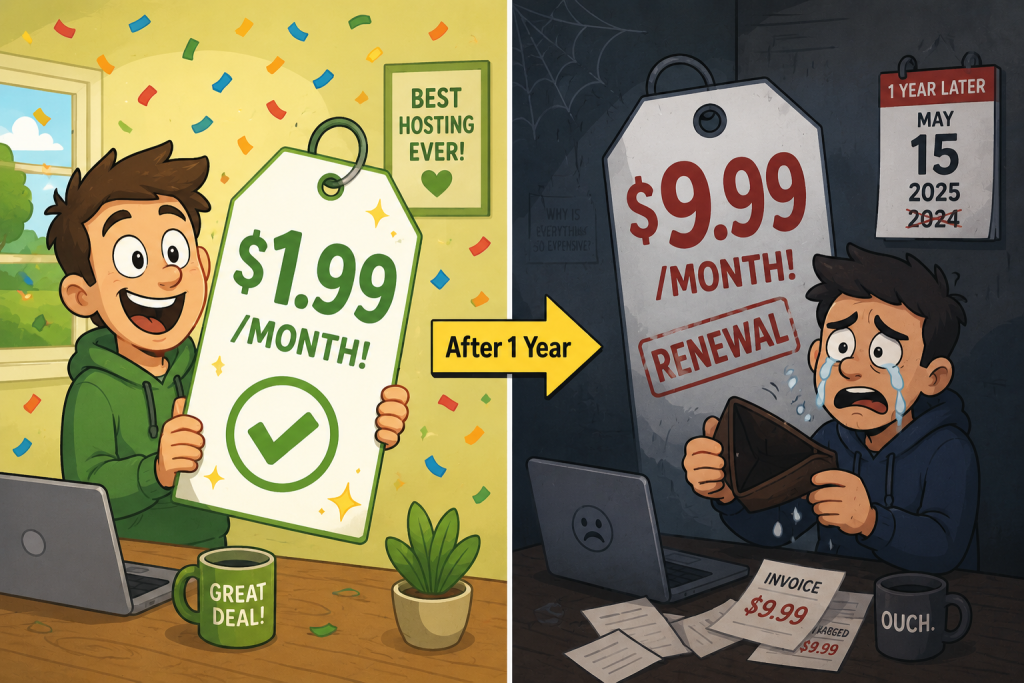
- The “Surprise” Renewal Price: This is one of the biggest traps. The $1.99/month price is almost always an introductory rate for the first term. When it comes time to renew, the price can jump to $7.99, $9.99, or even more per month. The shock is often enough to make you feel locked in, as moving a website can seem daunting.
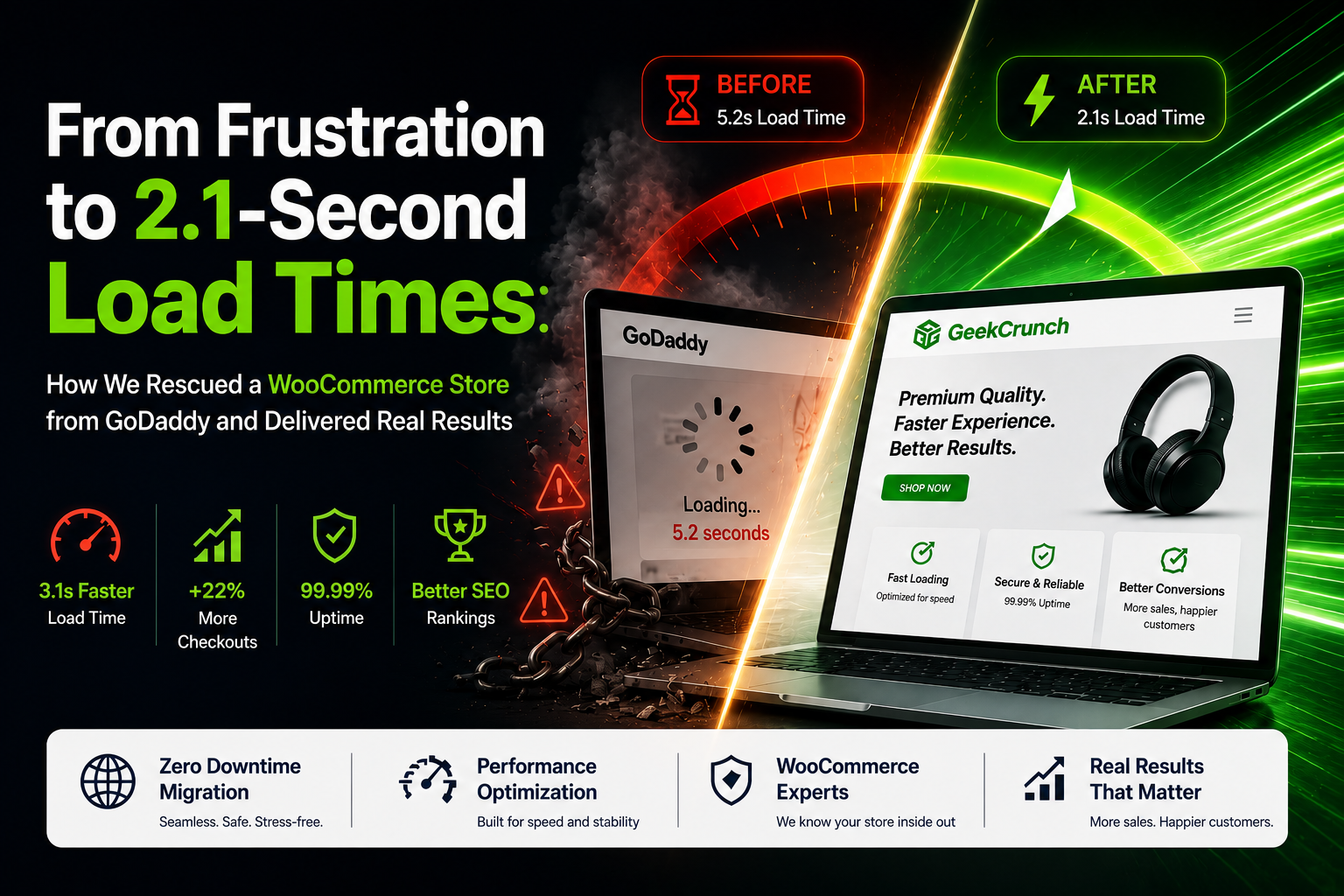
- Hidden Trade-offs: Cheap hosting often comes with hidden trade-offs that you might not notice at first. Slow performance, weak security, and overcrowded servers are just the beginning. The moment your site gets a little traffic or you run an online sale, things start to crack. A website that loads in six seconds instead of two will turn visitors away and hurt your SEO rankings. Even worse, unexpected downtime can cost you credibility and customers.
How to Avoid It Like a Pro:
Instead of chasing the lowest possible price, focus on the overall value. Ask yourself these questions when evaluating a host:
- What is the real cost of ownership? Look at the long-term renewal price, not just the first-month promotional offer.
- What are their uptime guarantees? Do they have a Service Level Agreement (SLA) that compensates you if your site goes down?
- What does their support look like? Do they offer 24/7 support? Test their responsiveness before you buy.
- Can I scale? Will it be easy to upgrade my plan as my traffic grows, or will I have to go through a difficult migration?
- What about backups and security? Are these included or are they expensive add-ons?
Think about your site’s growth over the next 1–3 years. Will the host allow easy upgrades when you need more power? For most beginners starting a blog or a small business site, a reliable shared hosting plan from a reputable company or a managed WordPress hosting plan is a much smarter investment than the absolute cheapest deal. It provides a better balance of performance, support, and security, ensuring a solid foundation from day one.
Mistake 2: Ignoring Uptime Guarantees
You might think, “If my site is up, it’s up, right? Why do I need to worry about this?” But your website’s availability is non-negotiable. Your design, your content, and your products mean nothing if people can’t access them.
The Hidden Trap:
Most hosts will tout a “99.9% uptime guarantee,” but it’s crucial to understand what that number actually means. If a host provides only 99% uptime, it might sound like a high number, but in reality, it translates to:
- 3.65 days of downtime per year
- 7.2 hours of downtime per month (or 1 hour and 40 minutes per week)
Imagine your online store being completely unavailable for almost an entire business day every month. During a weekend sale, a viral blog post, or your biggest promotional event, that downtime could mean hundreds or thousands of dollars in lost revenue and a significant blow to your brand’s credibility. Your visitors won’t wait for your site to come back; they’ll simply go to a competitor.
For businesses, even a short downtime during peak traffic or sales events can cause significant financial loss. For bloggers and hobbyists, frequent downtime still looks unprofessional and can push readers to competitors. In today’s fast-moving online world, visitors won’t wait for your site to come back; they’ll click away in seconds.
How to Avoid It Like a Pro:
- Demand 99.9% Uptime or Higher: Don’t settle for less. A host that is confident in its infrastructure will guarantee this level of service.
- Look for a Service Level Agreement (SLA): An SLA is a formal contract that promises compensation (often in the form of account credits) if they fail to meet their uptime guarantee. This shows they are serious about keeping your site online.
- Don’t Just Take Their Word for It: Your host says they have 99.9% uptime. How do you know it’s true? Use third-party uptime monitoring tools like UptimeRobot, Pingdom, or StatusCake. These services will ping your site from multiple locations around the world and alert you immediately if it goes down. This gives you independent proof of your host’s reliability.
- Check Historical Uptime Data: Some hosting review sites and monitoring services track uptime data over time. Look for hosts with a proven track record of reliability.
Mistake 3: Not Understanding Shared Hosting Limits
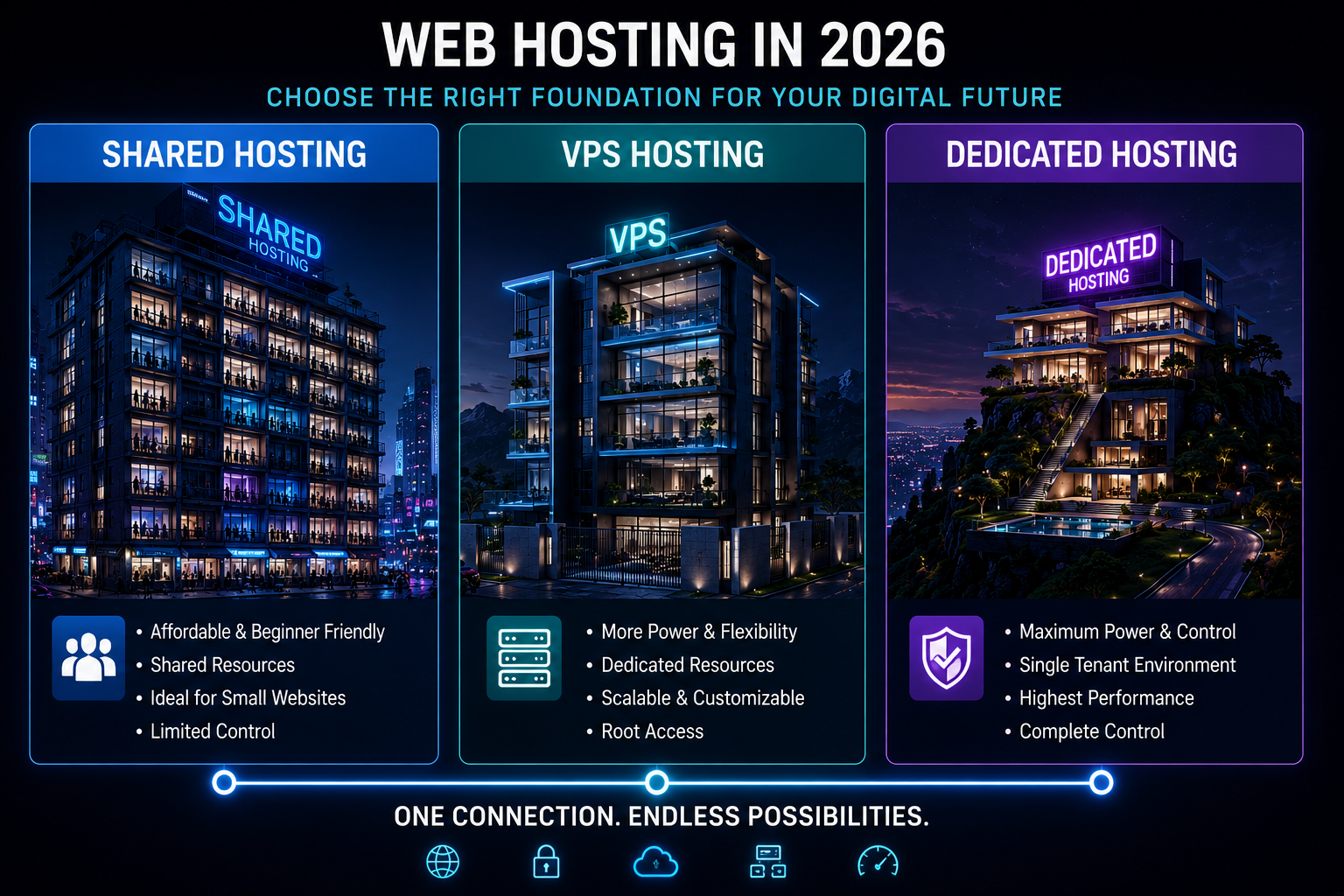
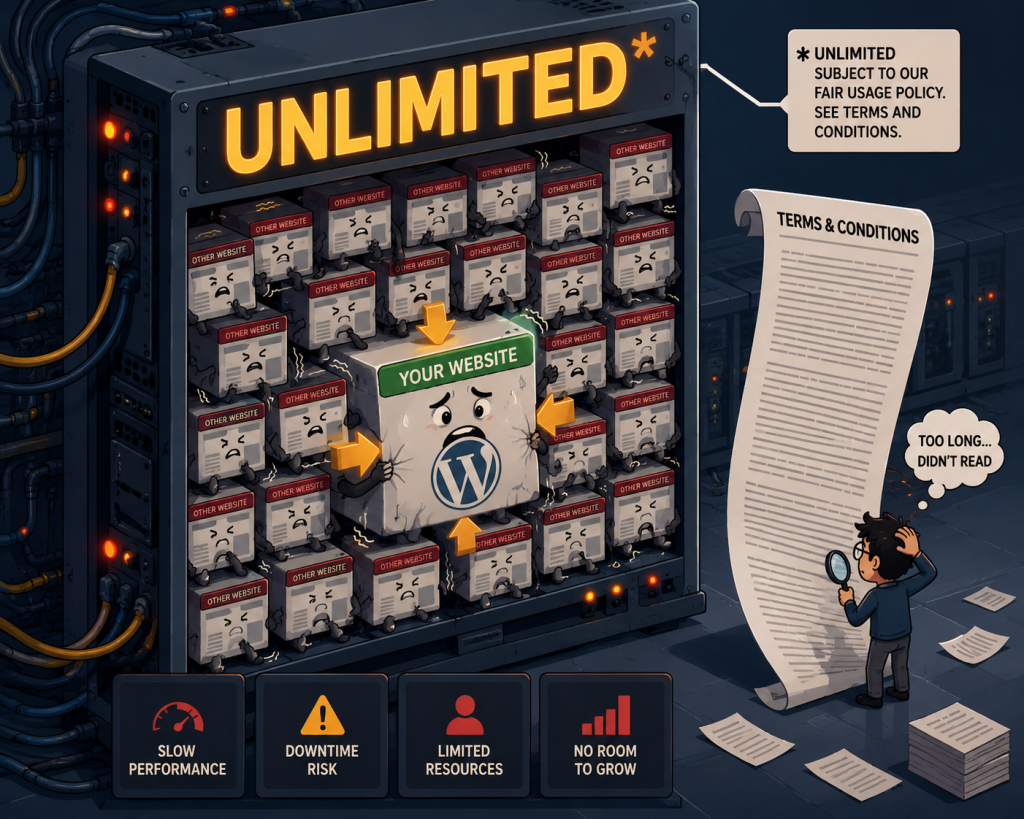
Shared hosting is often the first step for beginners, and for good reason. It’s affordable, easy to set up, and managed by the host, making it perfect for starting a new blog or small website. However, one of the biggest sources of frustration is a misunderstanding of what “unlimited” actually means.
The Hidden Trap:
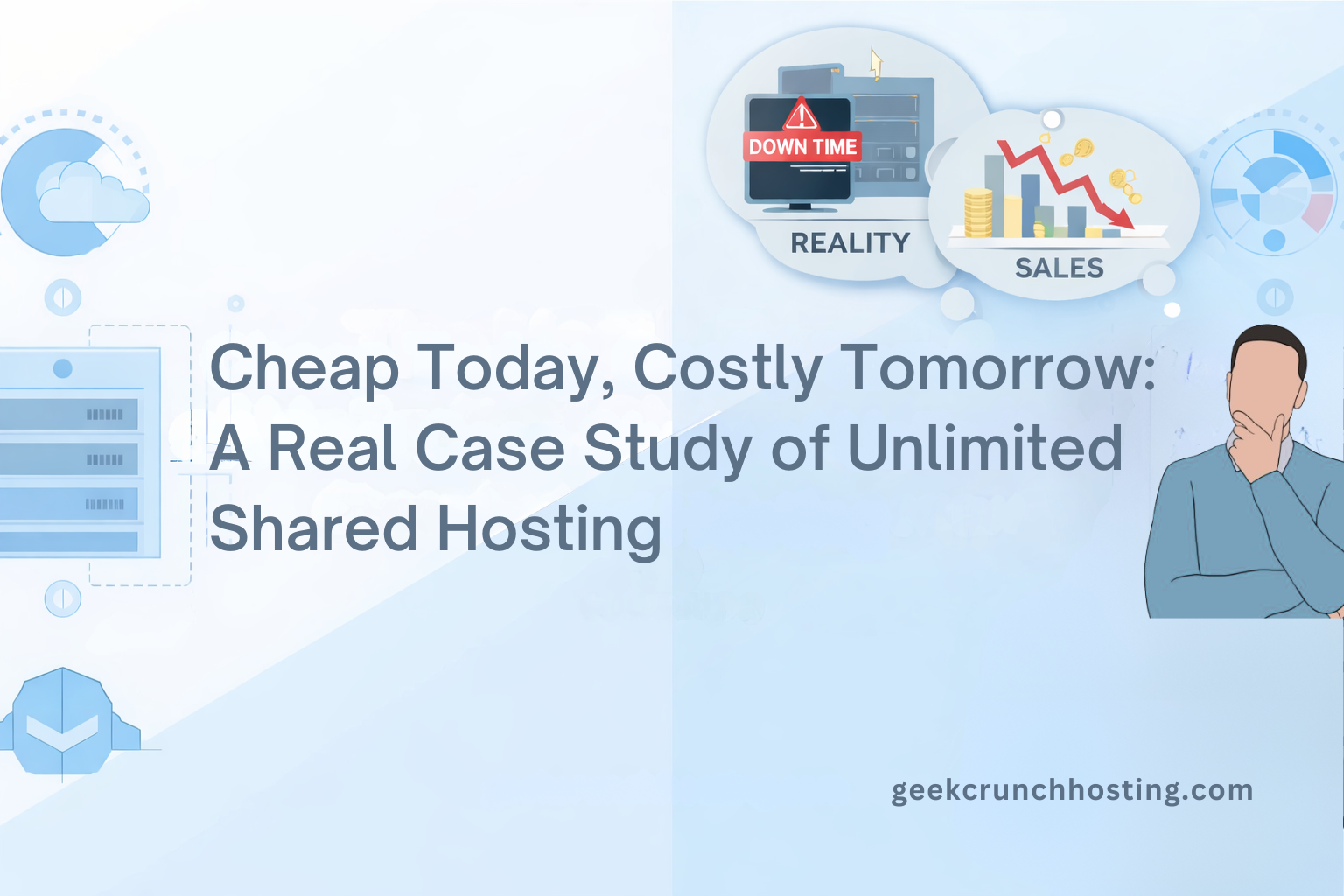
Hosting companies love to promote plans with “Unlimited Storage,” “Unlimited Bandwidth,” and “Unlimited Websites.” The word “unlimited” is a powerful marketing tool, but in the tech world, it’s almost always a myth. These offers are always subject to a “Fair Usage Policy” or a similar set of terms and conditions.
In reality, “unlimited” means “unlimited… as long as you are a normal user and don’t consume too many server resources (like CPU and RAM).” If your site begins to grow and attract more visitors, uses too much processing power, or stores large media files, the host will step in. What happens next?
- Performance Throttling: Your site speed will be artificially slowed down to conserve resources for other users.
- Suspension: In severe cases, your account may be temporarily suspended until you reduce your usage.
- Forced Upgrade: You might be told that your current plan is no longer suitable and you must upgrade to a more expensive VPS or dedicated server.
This is a massive problem for growing businesses or websites with heavy media, like online stores with product images, photographers’ portfolios, or video blogs. For a simple personal blog, this isn’t usually an issue. But for growing businesses, online stores, or sites with heavy media content, these limits can quickly become a bottleneck.
How to Avoid It Like a Pro:
- Read the Fine Print: Before you buy, look for the “Acceptable Use Policy” (AUP) or “Fair Usage Policy.” This document will explain what their definition of “reasonable use” is.
- Be Honest With Yourself: Is your site just a small hobby blog, or are you building a business? If you plan to scale, sell products, or host a lot of multimedia, a simple shared hosting plan may not be the right fit.
- Consider VPS or Cloud Hosting Early On: A Virtual Private Server (VPS) or cloud hosting plan gives you dedicated resources. You have your own slice of the server, meaning you don’t have to compete with other users. It offers more predictable performance and fewer limitations, making it a worthwhile upgrade for sites with serious growth ambitions.
- Ask About Resource Limits: Don’t be shy about asking the host directly what their actual limits are for CPU, memory, and inode usage. A transparent host will give you clear answers.
Mistake 4: Skipping Backups
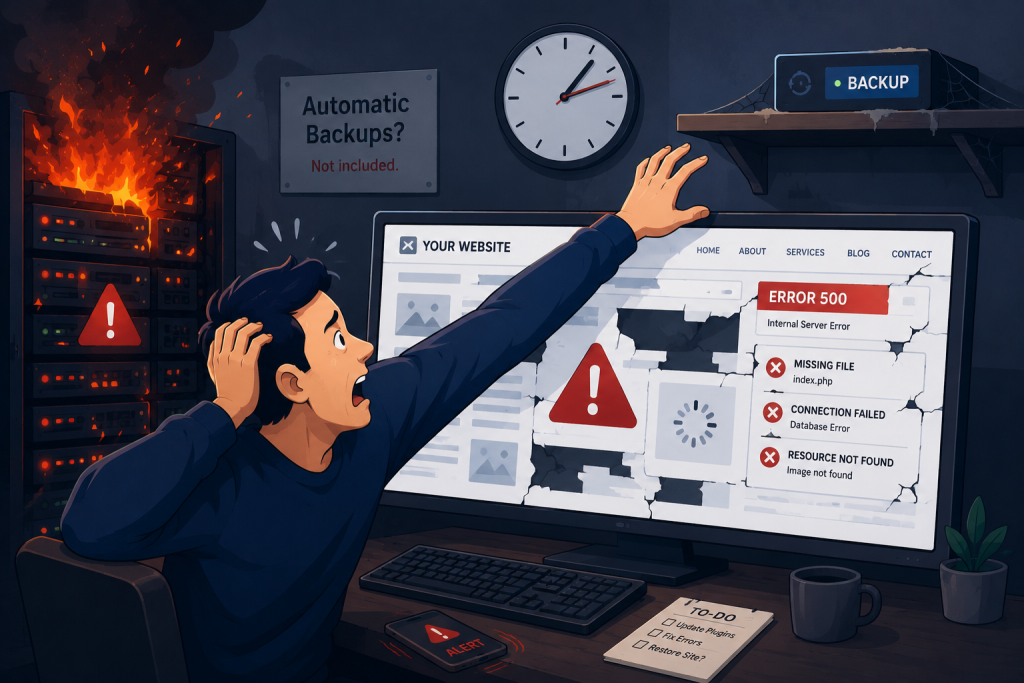
Imagine waking up one morning to find your website completely gone. Every blog post, every product image, every customer review, everything. This happens more often than you’d think, and it’s devastating. Yet, countless beginners assume that their hosting provider is automatically handling backups for them.
The Hidden Trap:
Here’s the uncomfortable truth: most budget hosting providers either don’t offer automatic backups at all, or they charge extra for them. Even when backups are included, they often come with severe limitations:
- Infrequent Backups: Some hosts only run backups once a week. If your site gets hacked on a Wednesday, you’ll lose all the work you did since Sunday.
- Overwritten Backups: Many hosts keep only one backup at a time, overwriting it with each new backup. If you don’t notice a problem immediately, your only good backup might be replaced.
- No Offsite Storage: If your host’s server experiences a catastrophic failure, your backups stored on that same server are also lost.
The causes of data loss are numerous and often unexpected:
- A plugin or theme update that breaks your site.
- A hacker injecting malicious code.
- Accidental deletion of files or database entries.
- Server hardware failure.
- Human error (deleting the wrong file).
Without a recent, clean backup, your only options are to start from scratch or pay a developer hundreds (or thousands) of dollars to attempt a recovery. For many small business owners and bloggers, this is a death blow to their online presence.
How to Avoid It Like a Pro:
- Make Backups Non-Negotiable: When choosing a host, look for one that includes daily automatic backups as a standard feature, not as a paid add-on.
- Create a 3-2-1 Backup Strategy: This is the gold standard in data protection.
- 3 copies of your data (your live site + two backups).
- 2 different storage media or formats.
- 1 copy stored offsite (away from your hosting server).
- Use Backup Plugins: If you’re using WordPress (which powers over 40% of the web), use a reliable backup plugin8 like:
- UpdraftPlus: One of the most popular and user-friendly options.
- BlogVault: Excellent for larger sites and offers staging environments.
- Jetpack VaultPress: Backed by Automattic (the company behind WordPress.com).
- Store Backups Offsite: Configure your backups to automatically save to cloud storage services like Dropbox, Google Drive, Amazon S3, or Microsoft OneDrive. This ensures that even if your host’s entire server is compromised, your data remains safe and accessible.
- Test Your Backups: A backup is only useful if it works. Periodically test your backups by restoring them to a staging environment to ensure they’re complete and functional.
A single good backup can be the difference between a minor inconvenience and a complete disaster. Don’t learn this lesson the hard way.
Mistake 5: Underestimating Security Needs
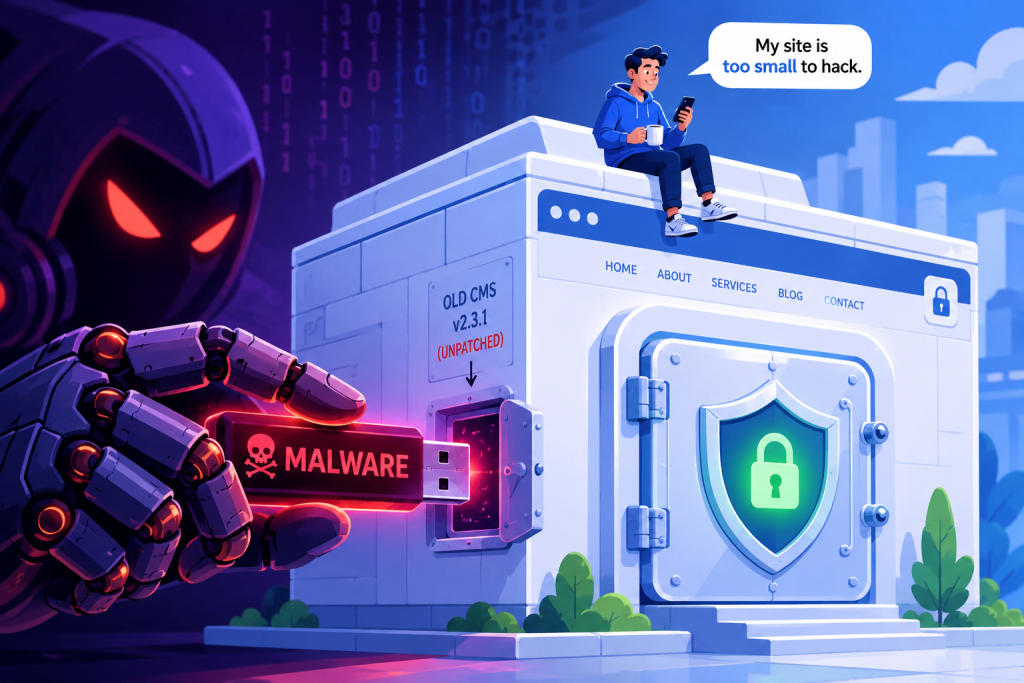
“Who would want to hack my small website? I don’t have any valuable data or millions of visitors.” This is the most dangerous myth in web hosting. Hackers don’t specifically target big businesses; they use automated bots to scan the internet for vulnerable sites, regardless of size.
The Hidden Trap:
Automated bots are constantly probing the internet, looking for common security weaknesses. They don’t care if your site gets 50 visitors or 50,000. If they find a vulnerability, they’ll exploit it. The consequences of a security breach can be severe:
- Google Blacklisting: Google will flag your site as “unsafe,” displaying a warning to visitors before they can access it. This destroys your traffic and trust instantly.
- Malware Injection: Hackers can inject malicious code into your site, using it to distribute spam, phishing scams, or malware to your visitors.
- Defacement: Your site’s content could be replaced with offensive material, damaging your reputation.
- Data Theft: If you collect any customer data (email addresses, names, etc.), a breach could expose this information, leading to legal liabilities and loss of customer trust.
- Resource Hijacking: Your server resources could be hijacked to mine cryptocurrency or send out spam emails, causing your site to slow down or be suspended by your host.
- SEO Penalties: Even if your site is cleaned up, Google may take weeks to remove the “unsafe” warning, costing you traffic and revenue in the meantime.
Once a site is compromised, the recovery process is often far more expensive and time-consuming than the cost of proper prevention. You’ll have to clean the malware, patch the vulnerability, submit your site for review by Google, and rebuild trust with your audience. For business websites, this can mean lost customers and a ruined reputation. For bloggers, it’s the heartbreak of watching months of work vanish overnight.
How to Avoid It Like a Pro:
- Choose a Secure Host: Look for a hosting provider that includes robust security features:
- Free SSL Certificate: This encrypts data between your visitor’s browser and your server, essential for trust and SEO.
- Web Application Firewall (WAF): This blocks malicious traffic before it reaches your site.
- Malware Scanning and Removal: Some hosts actively scan for malware and will help you clean your site if it gets infected.
- DDoS Protection: Protection against distributed denial-of-service attacks that can take your site offline.
- Keep Everything Updated: Outdated software is the number one way hackers get into websites. This includes:
- Your CMS (WordPress, Joomla, etc.)
- All installed plugins and themes
- The PHP version your site runs on
- Use Strong Passwords: This seems obvious, but weak passwords are still a leading cause of breaches. Use a password manager like Bitwarden or 1Password to generate and store complex, unique passwords.
- Enable Two-Factor Authentication (2FA): This adds an extra layer of security to your hosting account and CMS login. Even if someone steals your password, they’ll need a second factor (like a code from your phone) to log in.
- Limit Login Attempts: Use a plugin to limit the number of login attempts, preventing brute-force attacks where hackers try thousands of password combinations.
- Regular Security Audits: Periodically run security scans on your site using tools like Wordfence or Sucuri to identify and fix vulnerabilities before they’re exploited.
Security isn’t a one-time setup; it’s an ongoing process. Investing in it from day one will save you from countless headaches and potential disasters later.
Mistake 6: Forgetting About Scalability
You’re just starting out, and your site has barely any traffic. It feels logical to choose the smallest, cheapest plan that fits your current needs. “I don’t need all that extra power right now,” you think. But here’s the problem: what happens when you’re suddenly successful?
The Hidden Trap:
Success can be a double-edged sword. Imagine you launch a product, write a viral blog post, or get featured on a major news site. Suddenly, thousands of visitors flood your site. What happens if you’re on a basic shared hosting plan?
- Your site slows to a crawl or becomes completely unresponsive. Visitors who clicked through are greeted with a spinning wheel or a “503 Service Unavailable” error.
- You lose sales. A single second of delay can cost you thousands in e-commerce revenue.
- You lose SEO rankings. Google uses page speed as a ranking factor. A slow site will drop in search results.
- You miss out on subscribers. People who wanted to sign up for your email list or download your lead magnet will give up and leave.
- You damage your brand reputation. Visitors who experience a slow or broken site are unlikely to return or recommend your site to others.
By the time you realize you need to upgrade, the damage is already done. You’ve lost traffic, sales, and credibility. And upgrading isn’t always instant; some hosts require you to migrate your site to a new server, which can cause additional downtime.
How to Avoid It Like a Pro:
- Think Ahead: When choosing a host, consider not just where you are now, but where you want to be in 1-3 years. Will this host allow you to grow seamlessly?
- Choose a Host with Easy Upgrade Paths: Look for providers that allow you to move from shared hosting to VPS (Virtual Private Server) or cloud hosting with minimal effort. Some hosts offer “one-click” upgrades that don’t require migration or downtime.
- Consider Cloud Hosting from the Start: Modern cloud hosting platforms like Cloudways, Kinsta, or WP Engine offer scalable resources. If your traffic spikes, you can increase your server resources with a few clicks. Many even offer auto-scaling, where resources adjust automatically based on demand.
- Monitor Your Traffic and Resources: Use tools like Google Analytics to track your traffic growth. Keep an eye on your hosting control panel to monitor CPU and RAM usage. If you’re consistently hitting your limits, it’s time to upgrade before a traffic spike causes a problem.
- Choose a Host with a Staging Environment: A staging environment allows you to test changes and upgrades safely before pushing them live. This is especially important when you’re scaling your site.
Scalable hosting ensures your site can handle success when it comes, rather than being crushed by it. Prepare for growth, and you’ll be ready to capitalize on every opportunity.
Mistake 7: Overlooking Support Quality
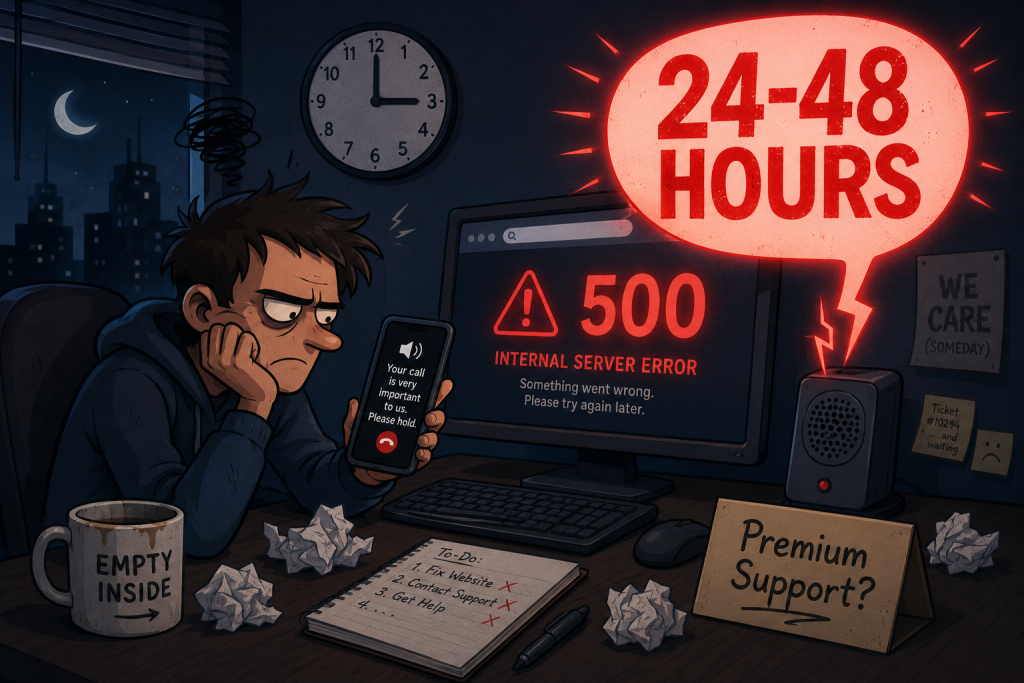
No matter how technically skilled you are, there will come a time when you need help with your hosting. Maybe your site crashes after a plugin update, your email stops working, you discover a mysterious error you’ve never seen before, or you need assistance with a migration. This is when the quality of your hosting provider’s support truly matters.
The Hidden Trap:
Many beginners choose a host based solely on price or features, completely ignoring support until they’re in crisis mode. And that’s when they discover the harsh reality:
- 24–48 Hour Ticket Response Times: Some budget hosts only offer email-based support with response times measured in days, not minutes. When your site is down, every minute costs you visitors, sales, and credibility.
- Unhelpful Canned Responses: You finally get a reply, and it’s a generic, copy-pasted response that doesn’t actually address your problem. You reply back, and the cycle starts all over again.
- Limited Support Channels: Many hosts only offer support via email or a ticket system. No live chat, no phone support. If you need immediate help, you’re out of luck.
- Outsourced Support with Limited Knowledge: Some hosts outsource their support to third-party companies where the agents may not have deep technical knowledge of your specific hosting environment. You might spend hours troubleshooting something that an experienced tech could fix in minutes.
- Support Hours That Don’t Align with Your Time Zone: If you’re in Asia and your host’s support team works only in US business hours, you might face long delays.
Poor support doesn’t just cost you stress; it costs you real money. When your site is down, you’re losing revenue, subscribers, and trust. And even when the site is up, waiting days for a simple answer can delay important updates or launches.
How to Avoid It Like a Pro:
- Prioritize 24/7 Support: Look for hosts that offer round-the-clock support via live chat and phone, not just a slow ticket system.
- Read Independent Reviews: Don’t just trust the testimonials on the host’s website. Check third-party review sites like Trustpilot, G2, or Reddit to see what real users say about their support experiences.
- Test Their Support Before You Buy: This is a pro tip that beginners rarely use. Before signing up, send a pre-sales question to their support team. See how quickly they respond and whether the answer is helpful and personalized. A quick, thoughtful response is usually a good indicator of what you can expect as a paying customer.
- Look for Specialized Support: If you’re using WordPress, consider a managed WordPress host where the support team specializes in WordPress-specific issues. They’ll be familiar with common problems and can resolve them much faster than a general support agent.
- Check for a Knowledge Base: A comprehensive knowledge base with tutorials, guides, and FAQs is a sign that the host values customer education and self-service. While it doesn’t replace live support, it can help you solve simple issues quickly without waiting for a response.
- Look for Multiple Contact Methods: A host that offers live chat, phone, and email support gives you flexibility depending on the urgency of your issue.
Remember, hosting is more than servers and hardware. It’s about having a team of people who have your back when things go wrong. Choose a host that treats support as a priority, not an afterthought.
Mistake 8: Ignoring Server Location
When you sign up for a hosting plan, you’re essentially renting space on a physical server somewhere in the world. But many beginners never stop to ask: Where is that server actually located? This seemingly minor detail has a massive impact on your website’s speed and user experience.
The Hidden Trap:
Data doesn’t travel instantly. It has to move through cables, routers, and networks across the globe. The farther your server is from your visitors, the longer it takes for data to travel back and forth. This extra distance adds latency, which translates directly to slower loading times.
Here’s a real-world example:
- If your server is in the United States and your audience is primarily in Asia, every request has to travel across the Pacific Ocean and back. This round trip can add hundreds of milliseconds to load times.
- For a single page load with dozens of requests (images, CSS, JavaScript, fonts), this adds up to seconds of delay.
Why does this matter? Because speed isn’t just a nice-to-have; it’s a critical success factor:
- User Experience: Studies show that 53% of mobile users will abandon a page that takes longer than 3 seconds to load.
- SEO Rankings: Google has confirmed that page speed is a ranking factor. A slow site will rank lower in search results.
- Conversion Rates: For e-commerce sites, a 1-second delay can reduce conversions by up to 7%. Amazon estimates that a 100-millisecond delay costs them 1% in sales.
- Bounce Rates: Users are quick to abandon pages that take too long to load. A slow site sends the signal that your business is unreliable.
How to Avoid It Like a Pro:
- Choose a Server Near Your Audience: When signing up for hosting, check if you can select your data center location. Many modern hosts allow you to choose from multiple regions (US East, US West, Europe, Asia, Australia, etc.).
- Use a Content Delivery Network (CDN): Even with a server in the right location, a CDN takes performance to the next level. Services like Cloudflare, StackPath, or Fastly cache your website on servers distributed globally. When a visitor accesses your site, the CDN serves the cached version from the server closest to them. This ensures fast load times for everyone, regardless of where they are in the world.
- Test Your Speed from Different Locations: Use tools like GTmetrix or Pingdom to test your site’s loading speed from multiple geographic locations. This will give you a clear picture of how server location affects your global audience.
- Consider a Multi-Region Setup: For truly global audiences, some advanced hosting setups allow you to deploy your site in multiple regions simultaneously.
- Understand Your Audience: Use Google Analytics to see where your visitors are coming from. This data should directly inform your choice of server location.
Fast, local hosting = better user experience and stronger SEO. It’s one of the simplest and most effective ways to improve your website’s performance.
Mistake 9: Neglecting Renewal Prices
This is one of the sneakiest traps in web hosting, and it catches beginners off guard more than almost anything else. You see an amazing deal: $1.99 per month for “unlimited everything.” It looks too good to be true, and that’s because it often is.
The Hidden Trap:
Those ultra-low prices are almost always introductory rates valid only for the first billing cycle (usually 12, 24, or 36 months). Once that initial term ends, the price jumps dramatically—often by 2x, 3x, or even 5x the promotional rate.
Here’s a common scenario:
- You sign up for a plan at $2.99/month for the first year.
- You build your website, add content, and get comfortable.
- A year later, you receive your renewal invoice and discover the price is now $9.99/month (or more).
- By this point, moving your site to a new host feels complicated and time-consuming. You feel trapped and end up paying much more than you originally budgeted.
This is a deliberate pricing strategy used by many budget hosts. They rely on the fact that most users won’t bother switching hosts after a year, making the renewal price an easy way to recoup their losses from the promotional offer. What seemed like a bargain quickly becomes an expensive monthly bill.
How to Avoid It Like a Pro:
- Always Check Renewal Pricing Before Signing Up: Look at the fine print or the pricing page details. Reputable hosts will clearly list both the promotional price and the regular renewal price. If you can’t find it, ask their support team directly.
- Do the Math: Calculate the total cost over 2-3 years, not just the first month or year. This will give you a much clearer picture of the true cost of ownership.
- Consider Longer Billing Cycles: If you’re confident in your choice, lock in the promotional rate for a longer term (e.g., 2 or 3 years). This protects you from price increases and often gives you the best overall value.
- Look for Transparent Hosts: Some hosts (like Kinsta, WP Engine, or Cloudways) don’t use bait-and-switch pricing tactics. Their advertised price is the price you’ll pay, whether it’s your first month or your 24th month.
- Set a Reminder: If you do sign up at a promotional rate, set a calendar reminder for 2-3 months before the renewal date. This gives you time to evaluate whether you want to stay or migrate to a new host.
- Read the Fine Print: Look for any mention of price increases after the initial term. Some hosts include automatic price increases in their terms.
Hosting is a long-term expense. Plan ahead to avoid nasty surprises when that renewal invoice lands in your inbox.
Mistake 10: Not Reading the Fine Print
It’s the most tedious part of any sign-up process, and almost everyone is guilty of it. You’re excited to get your website online, so you scroll to the bottom of the terms and conditions, check the “I Agree” box, and move on. But buried in that fine print are policies that can cause major headaches later.
The Hidden Trap:
The fine print contains all the details that the marketing pages conveniently leave out. Here are some common gotchas to watch for:
- Refund Policy Restrictions: A host might advertise a “30-day money-back guarantee,” but the fine print reveals that setup fees, domain registration fees, or certain add-ons are non-refundable. You might only get a partial refund.
- Content and Application Restrictions: Some hosts prohibit certain types of content or applications. You might not be allowed to host a forum, run a video streaming service, or use resource-heavy scripts. If you violate these terms, your account could be suspended.
- Hidden Limits on “Unlimited” Features: As we discussed earlier, “unlimited” is rarely truly unlimited. The fine print will explain what “fair usage” really means in terms of storage, bandwidth, CPU, and memory usage.
- Hidden Fees: There might be fees for migrations, additional backups, SSL certificates, or even restoring your site from a backup. These can add up quickly.
- Cancellation Policies: Some hosts require you to cancel via a specific method (like a phone call during business hours) or charge a cancellation fee.
- Automatic Renewal Clauses: Many hosts automatically renew your plan and charge your credit card unless you explicitly cancel before the renewal date. This can catch you off guard if you planned to switch hosts.
- Data Ownership: Some hosts have clauses that claim ownership of your content or data if you cancel your account. This is rare but worth checking.
How to Avoid It Like a Pro:
- Take the Time to Read: Before committing, read the Acceptable Use Policy (AUP) and the Terms of Service (TOS) . Pay special attention to sections on:
- Refund policies
- Renewal rates
- Resource limits
- Content restrictions
- Cancellation procedures
- Data ownership
- Ask Questions: If anything is unclear, contact support before signing up. A good host will be happy to clarify their policies.
- Don’t Assume Anything: Just because a host has a feature listed on their homepage doesn’t mean it’s included in every plan or that it works exactly as you expect. Verify everything.
- Keep a Copy: Save a copy of the terms and conditions you agreed to. If a dispute arises, you’ll have a reference point.
- Check for Arbitration Clauses: Some hosts include clauses that require disputes to be resolved through arbitration rather than court. This can limit your legal options.
- Read User Reviews for Red Flags: Sometimes users in reviews will mention hidden fees or policy issues they encountered. This can be a valuable warning sign.
Reading the fine print might feel tedious, but it’s the difference between a smooth hosting experience and unpleasant surprises down the road. A few minutes of reading can save you hours of frustration and unexpected costs later.
Final Thoughts: Hosting is a Foundation, Not a Luxury
Choosing a hosting provider isn’t just about where your files “sit.” It’s about whether your website can perform, scale, and stay secure as your digital presence grows. Every mistake we’ve covered—whether it’s chasing the cheapest deal, ignoring backups, overlooking support, or neglecting the fine print—comes back to one fundamental truth: hosting quietly shapes the success or failure of your online project.
Think of it this way: your website is like a house. Hosting is the land it’s built on. You wouldn’t build a dream home on shaky ground, so why risk your brand, traffic, or income on weak hosting?
The good news is, most of these mistakes are avoidable. With a little research, careful planning, and forward-thinking, you can choose a hosting provider that sets you up for long-term success.
Here’s a quick recap of what to look for:
- Value over price: Don’t let a low introductory price blind you to long-term costs and limitations.
- Reliability: Choose a host with a strong uptime guarantee backed by an SLA.
- Scalability: Pick a host that allows you to grow without painful migrations.
- Security: Prioritize hosts that include SSL, firewalls, and malware protection.
- Backups: Ensure daily automatic backups are included and store them offsite.
- Support: Test their support quality before you sign up.
- Transparency: Read the fine print and understand renewal pricing.
- Server Location: Choose a server close to your primary audience.
- Performance: Look for features like SSD storage, caching, and CDN integration.
Invest in a reliable host, set up backups, prioritize security, and choose scalability. These aren’t luxuries; they’re essentials for anyone serious about their online presence.
At the end of the day, hosting isn’t where you should cut corners; it’s where you should build confidence. A strong hosting foundation lets you focus on what really matters: creating content, serving your customers, and growing your business. Your online journey deserves nothing less.